Before choosing a provider, 99% of buyers research them, including on LinkedIn.
Your message has caught your prospect's attention. More often than not, they open your LinkedIn profile before they reply.
Source: Hinge Research Institute, Beyond Referrals (2014), 1,028 buyers of professional services.
- Can I trust this person?
- Are they the right fit for my problem?
- Do they have a track record?
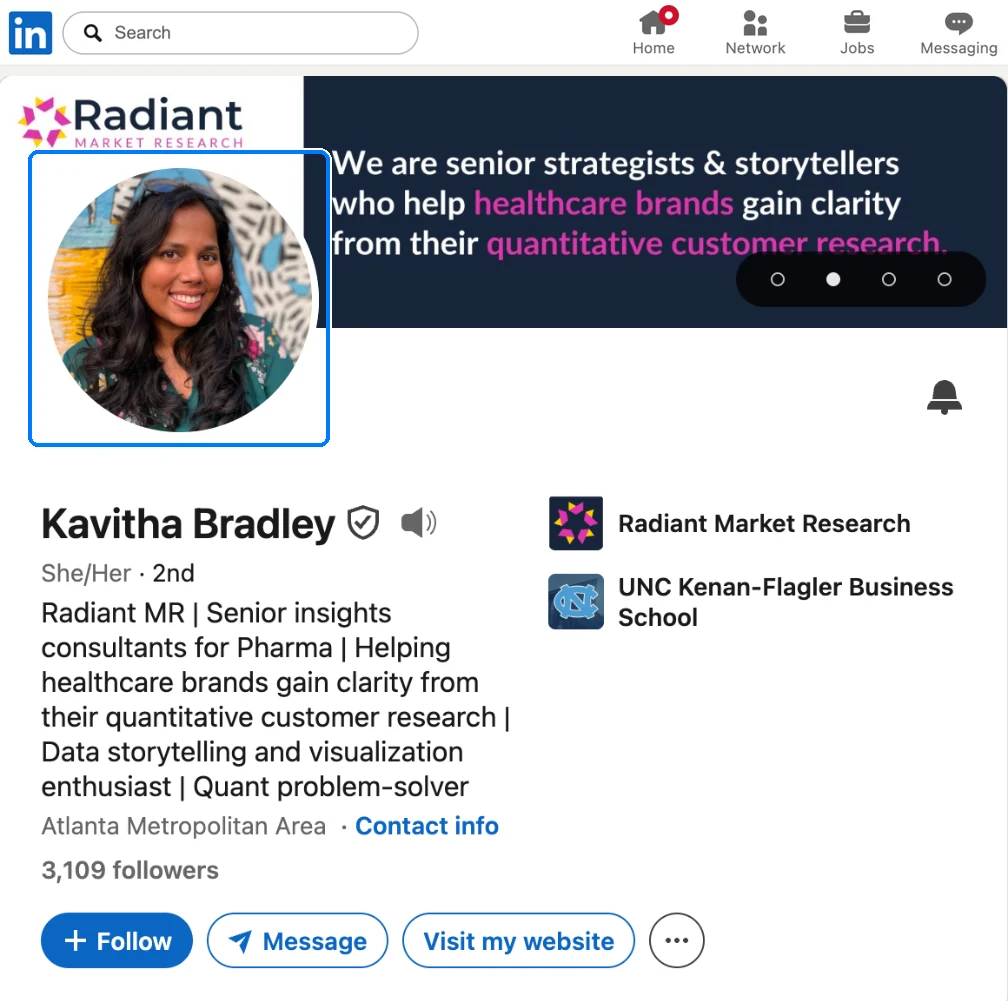
The photo
A tenth of a second is all it takes to judge whether a face looks trustworthy.
Your photo goes everywhere your name goes: invitations, messages, comments. It's the first thing your prospect sees.
Choose a recent, sharp photo that shows your face clearly. No studio needed. But no blurry shots, nothing taken from a distance, nothing ten years old.
And smile: people are more willing to trust a stranger who smiles.
Sources: Janine Willis and Alexander Todorov, Princeton University, Psychological Science (2006) · Jörn Scharlemann et al., “The value of a smile,” Journal of Economic Psychology (2001).
The headline
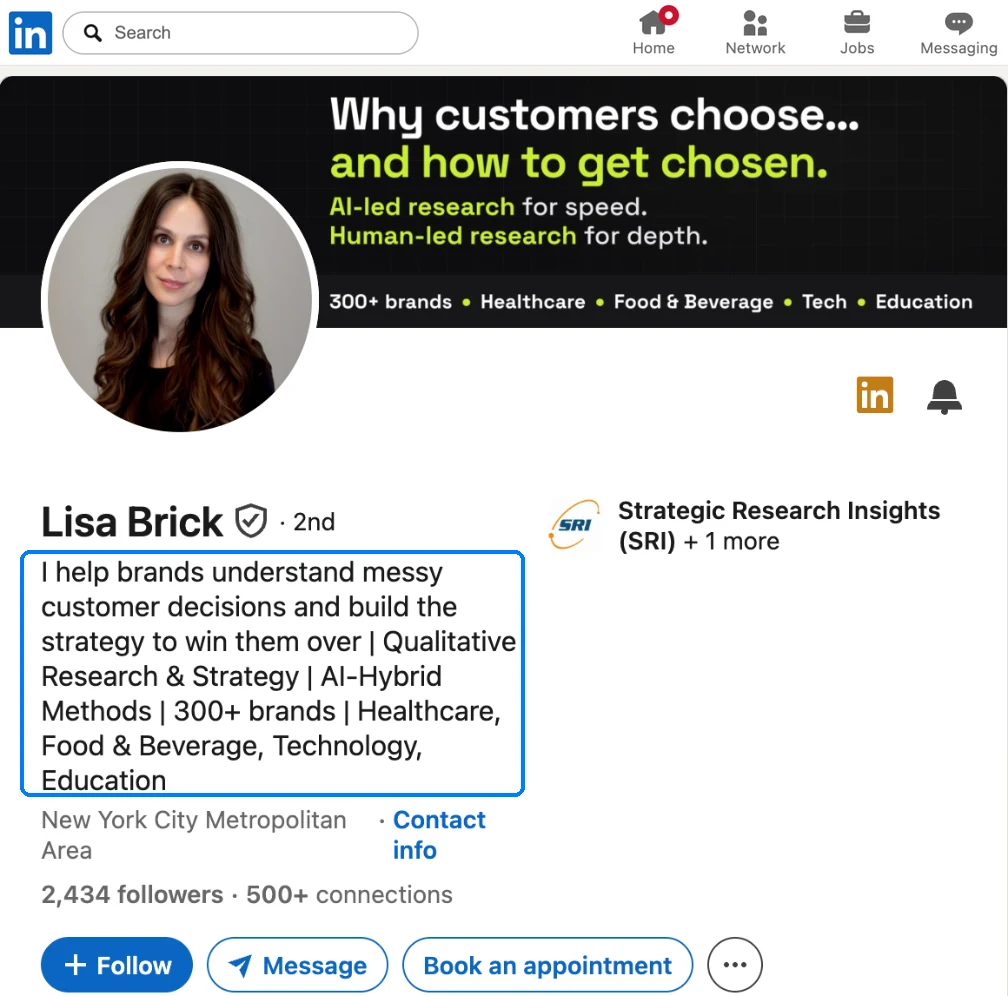
Your prospect will accept your invitation if they can see, in one line, what you can do for them.
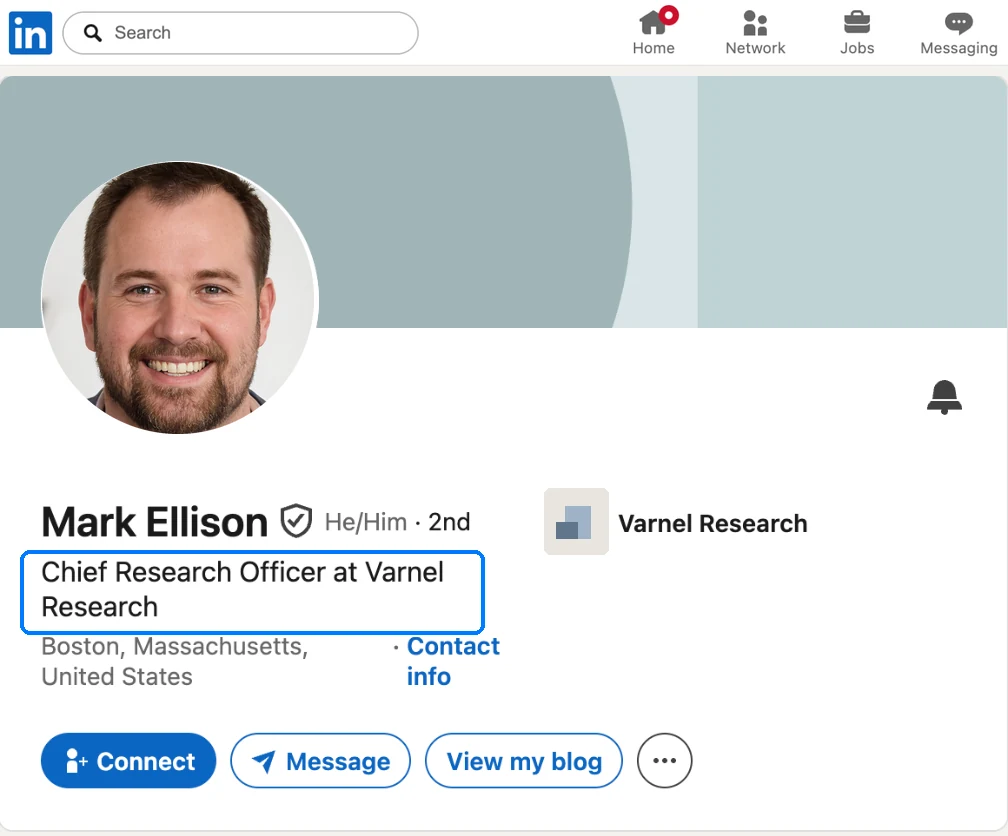
Your headline, the line LinkedIn shows right under your name, follows you everywhere: every invitation, every message, every search result.
By default, LinkedIn fills it with your job title. That describes your role, but it says nothing about what you do for your clients. Write your headline in their words: the problem you solve, and for whom.
The more precise your target, the more you become the obvious choice. And your headline has to be readable at a glance, even on a phone.
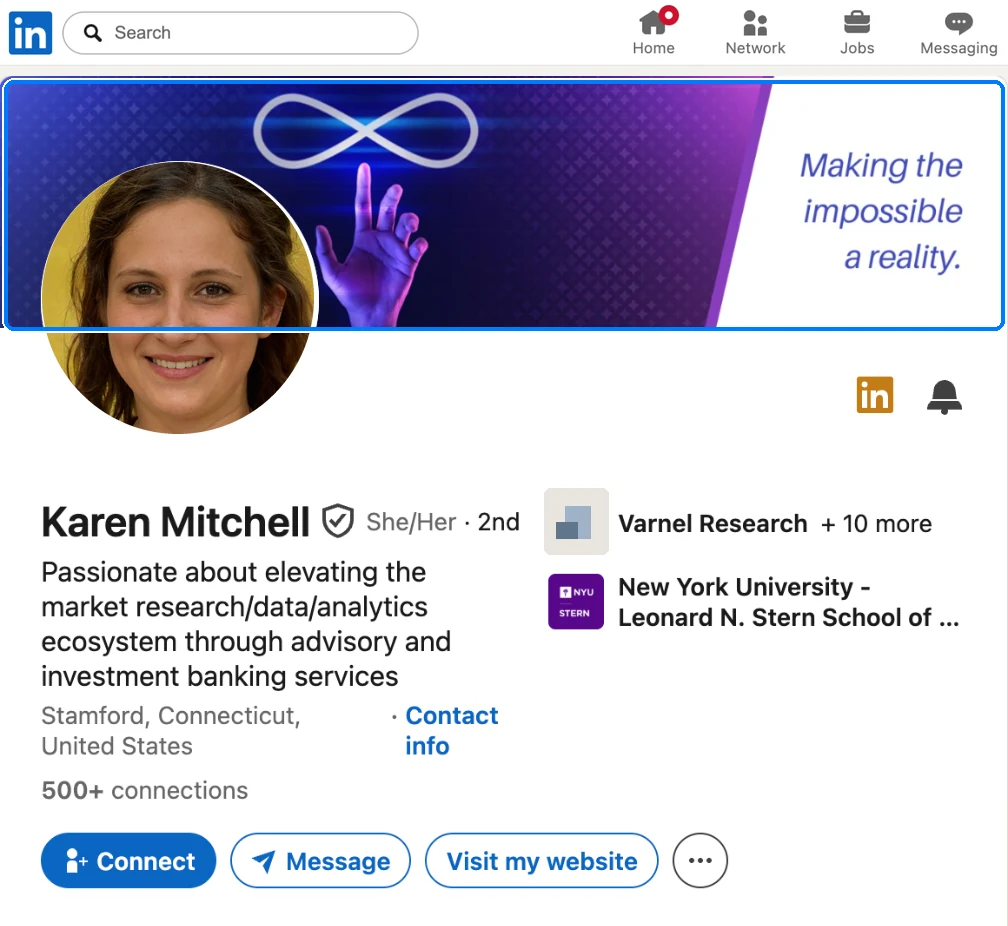
The banner
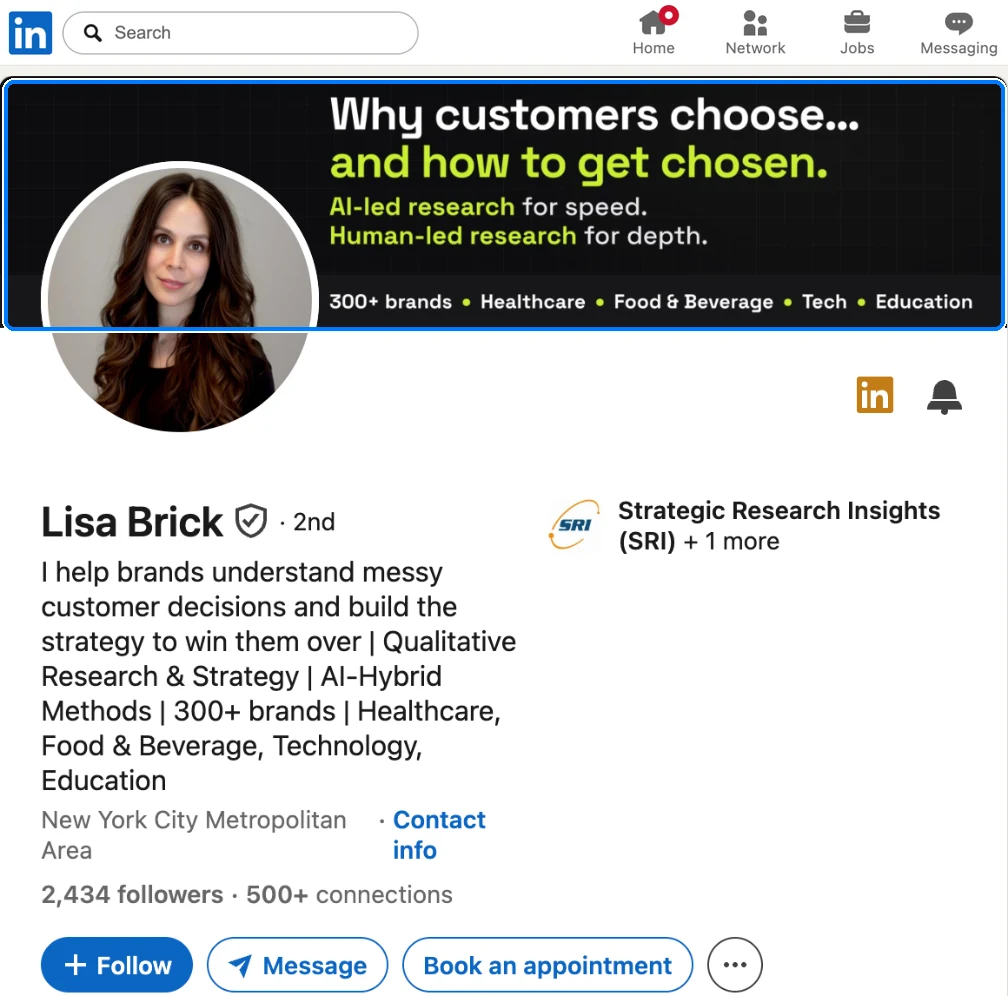
A clear banner says what you do and makes people want to explore your profile.
The banner is the background image behind your photo. By default, LinkedIn fills it with a gray pattern that says nothing about you.
Write what you do and for whom, in one sentence. Add proof: a number, references, client logos.
Photo, headline and banner should work as one: in two seconds, a stranger understands what you do, and for whom.
LinkedIn's recommended size: 1,584 × 396 pixels. Canva offers free templates in this format.
The About section
One in two buyers avoids salespeople whose LinkedIn profile is incomplete.
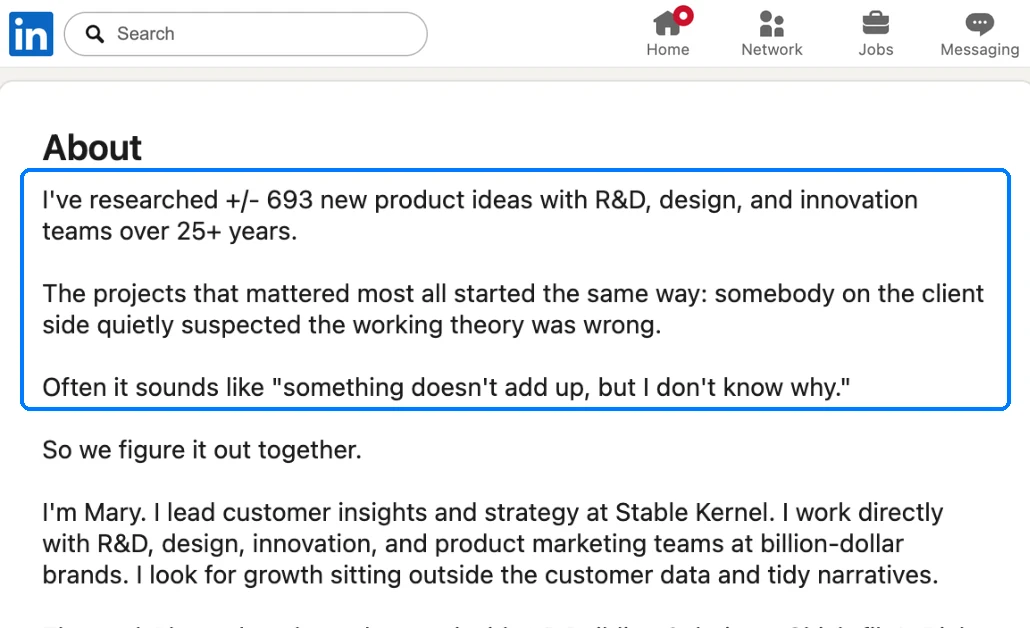
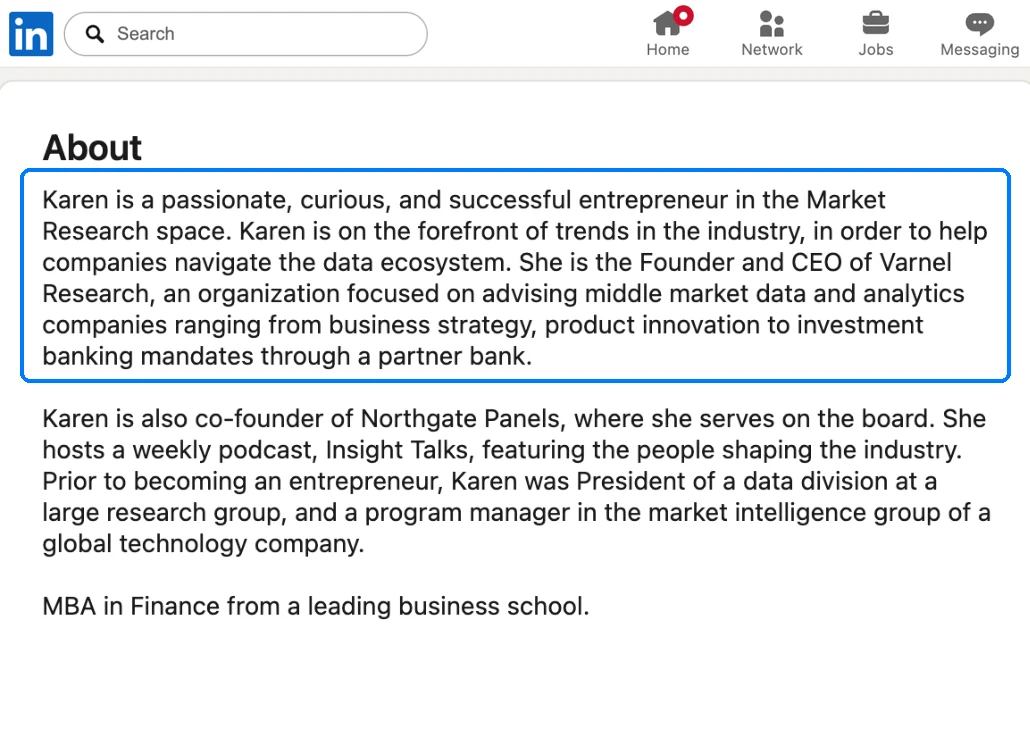
A complete profile starts with the About section: that's where your prospect decides whether they can trust you.
They'll read only two or three lines, the ones that show before “see more.” If those lines speak to their problem, they're more likely to keep reading, and to reply.
Write in the first person, the way you'd describe your work in a first meeting. Five short paragraphs, in this order:
- The problem your client is facing.
- How you solve it.
- Proof: a real number, a result you delivered.
- Who you work for, and who you don't.
- How to get in touch with you.
Source: LinkedIn, survey of 1,500 B2B buyers (2014). 50% avoid salespeople whose profile is incomplete.
Featured
73% of decision-makers trust a company's thought leadership more than its marketing materials.
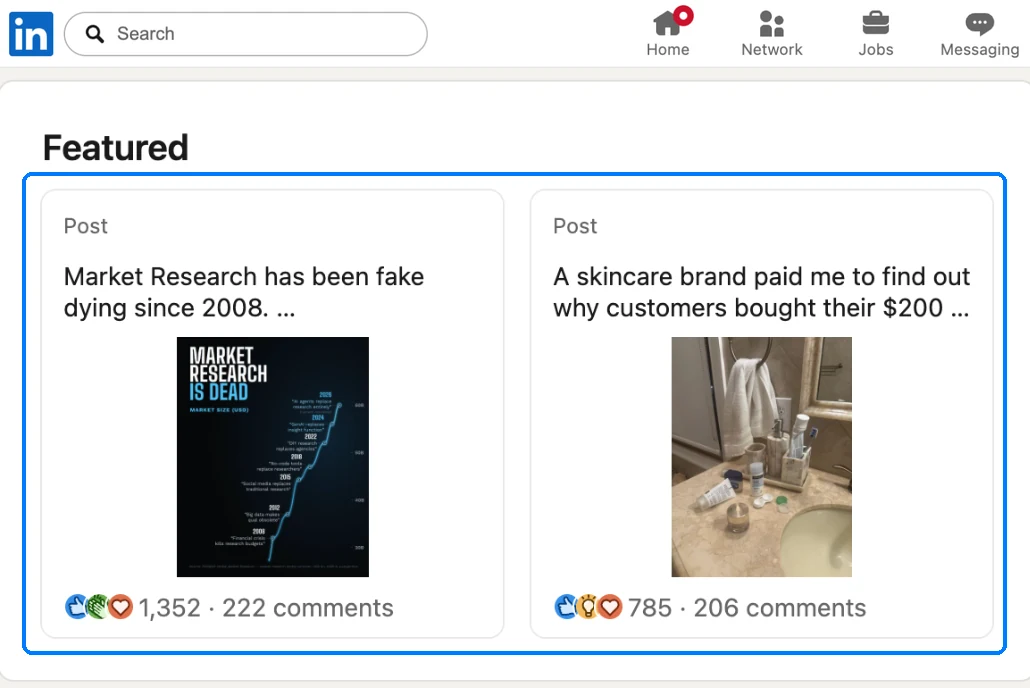
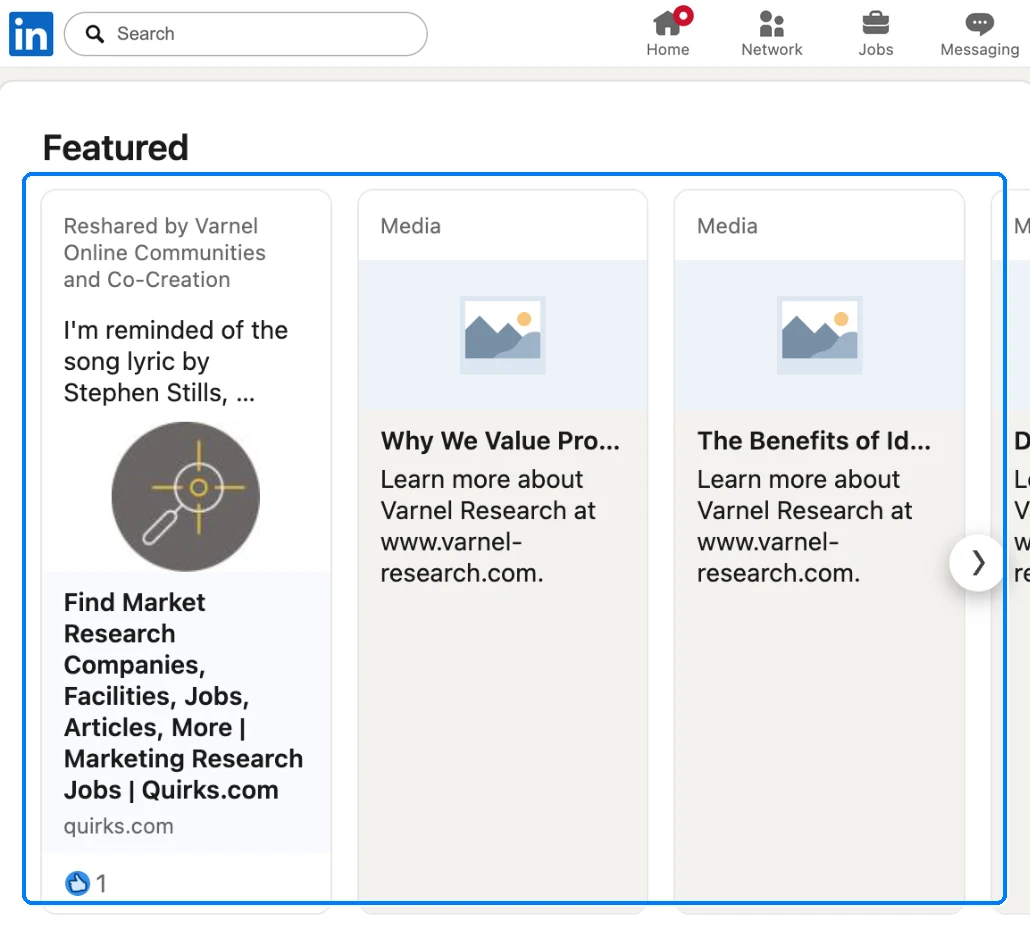
In the Featured section, you pin the content of your choice. It's almost always left empty. Yet that's where your prospect looks for a reason to write to you.
Pin client cases, your best posts, or an interview that shows your expertise. Three or four strong pieces beat ten average ones.
Source: Edelman and LinkedIn, B2B Thought Leadership Impact Report (2024), survey of 3,484 decision-makers.
Experience
By this point, your prospect is looking for a result you got for a client who looks like them.
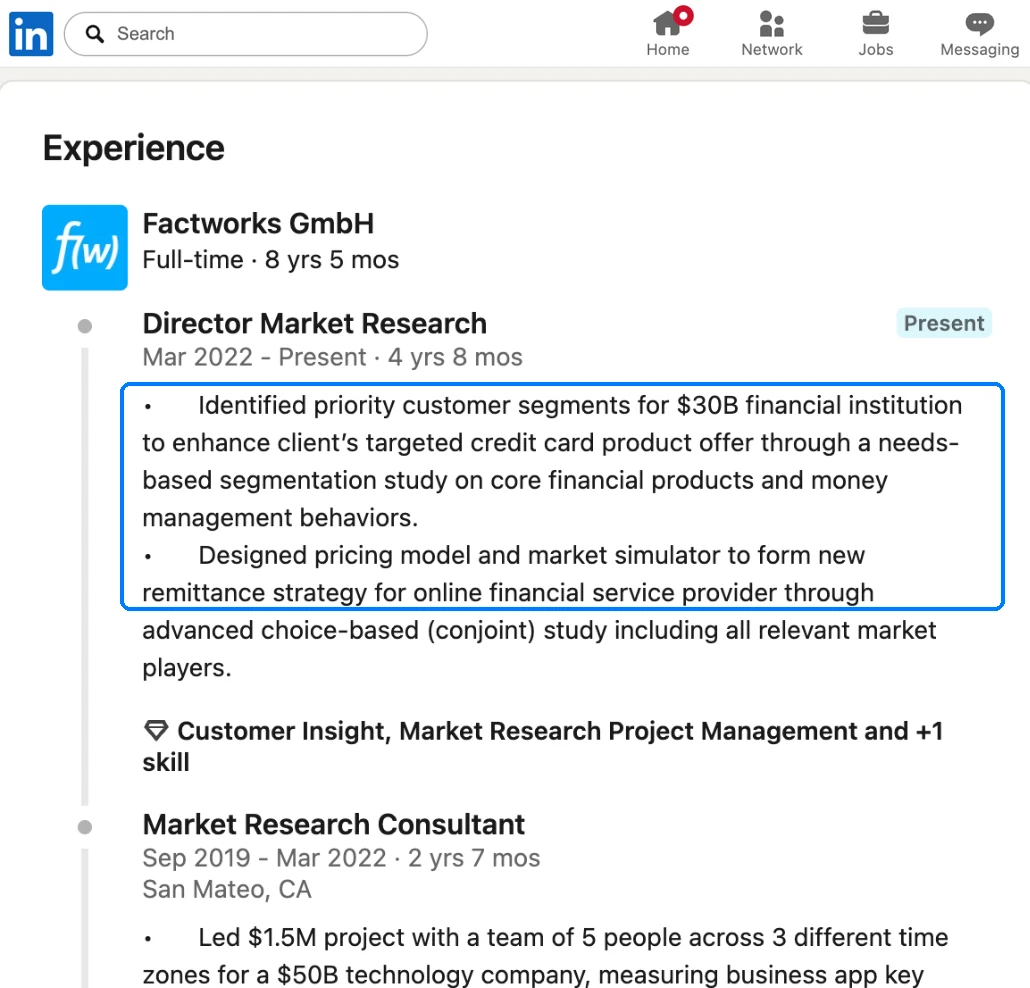
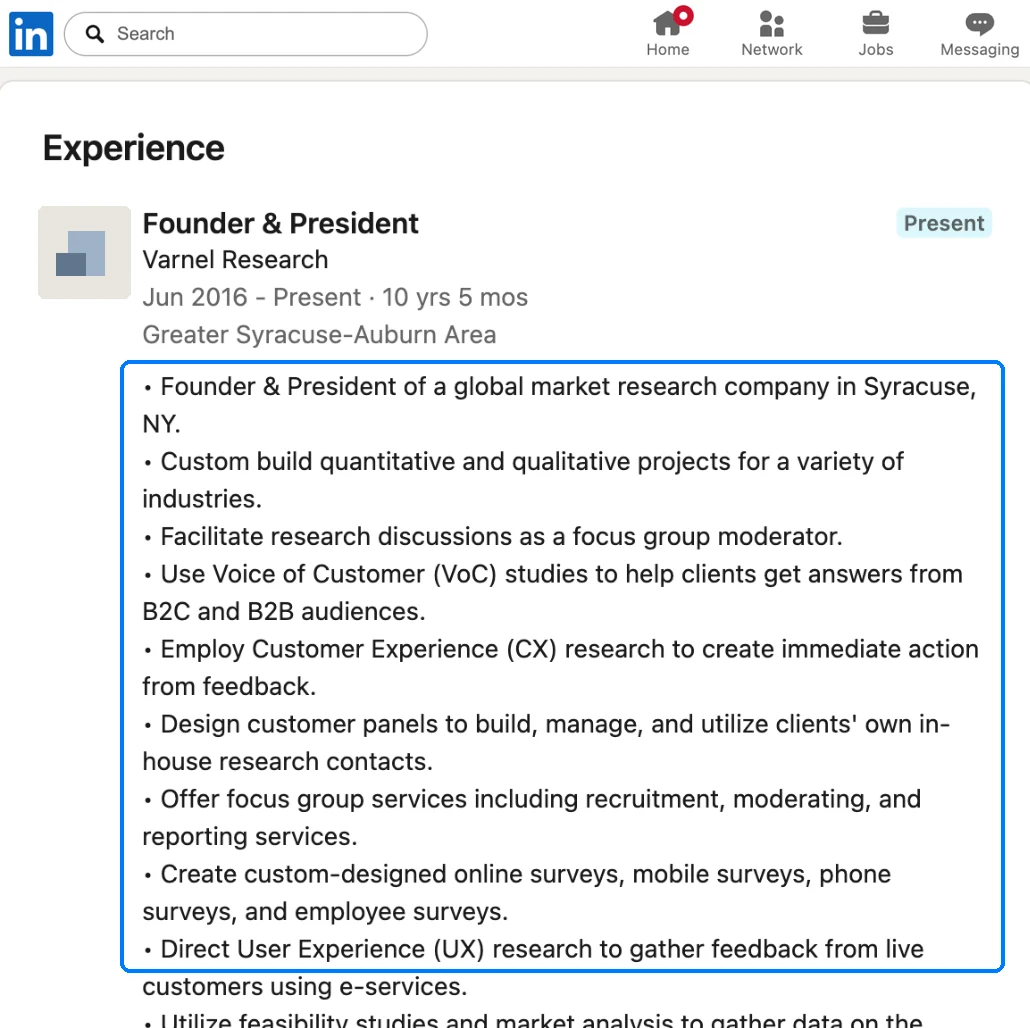
Describe your experience through the results you got for your clients, not the projects you ran.
Under your current role, one or two sentences: your clients, named if you can, and what they got thanks to you. Previous roles: one or two lines each.
Then reread it: whatever doesn't reassure your prospect, cut.
Recommendations
69% of clients would gladly recommend their provider; you still have to ask.
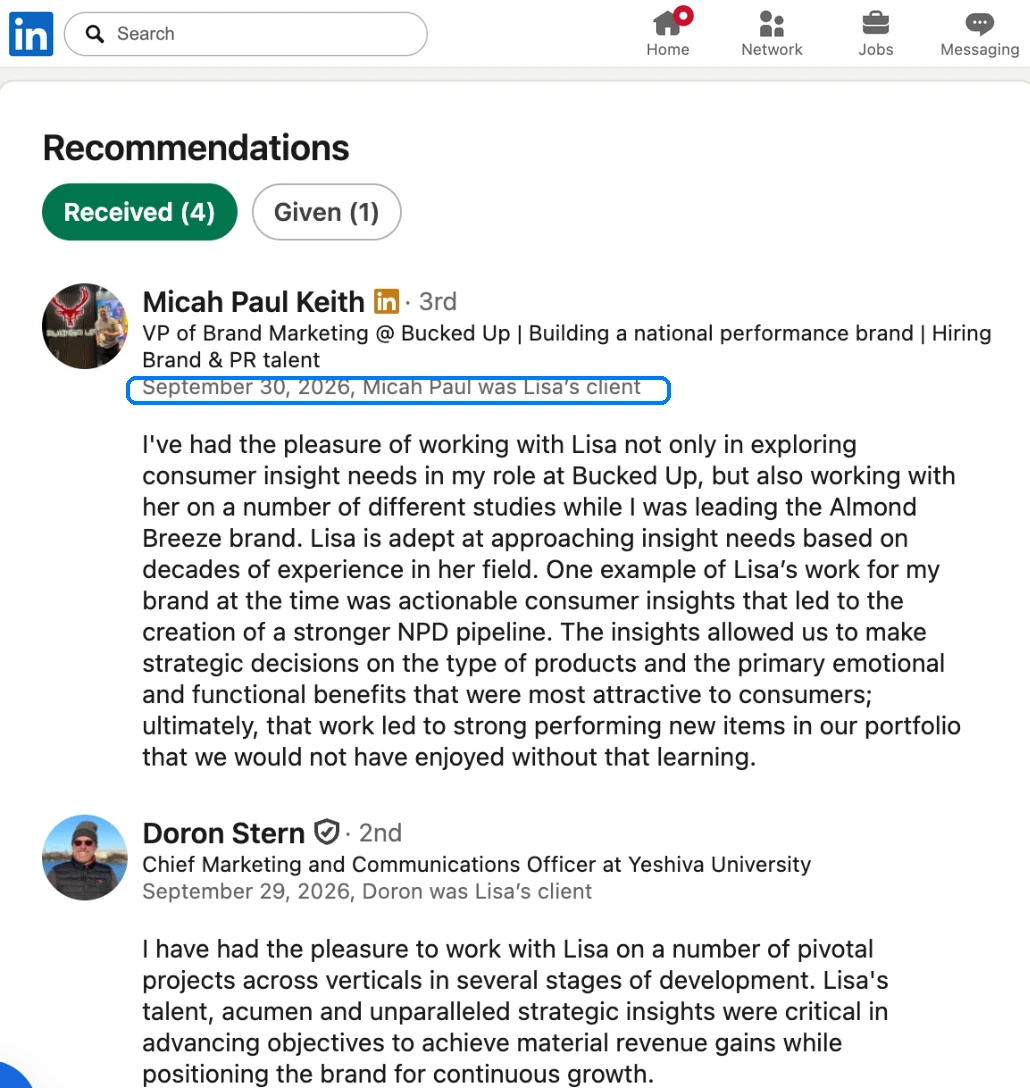
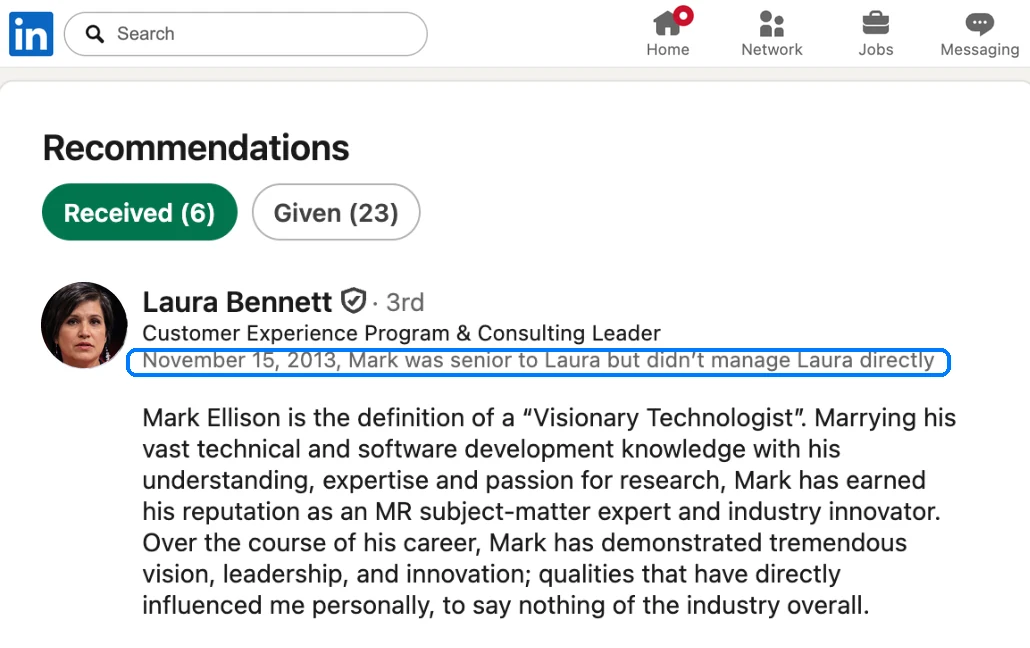
Three lines written by a client carry more weight than anything you say about yourself.
Most of your studies are confidential? Turn to the clients already named on your website. And ask at the right moment: right after a successful study.
Source: Hinge Research Institute, Referral Marketing for Professional Services Firms (2015). The number one reason for not recommending, cited by 72% of clients: nobody asked them.
A rock-solid profile
A rock-solid profile applies all seven rules, from the photo to the recommendations.
Follow these seven rules: your profile will inspire trust and answer the three questions your prospect is asking.
Can I trust this person? The photo, the banner, the About section.
Are they the right fit for my problem? The headline, Featured.
Do they have a track record? Experience, Recommendations.
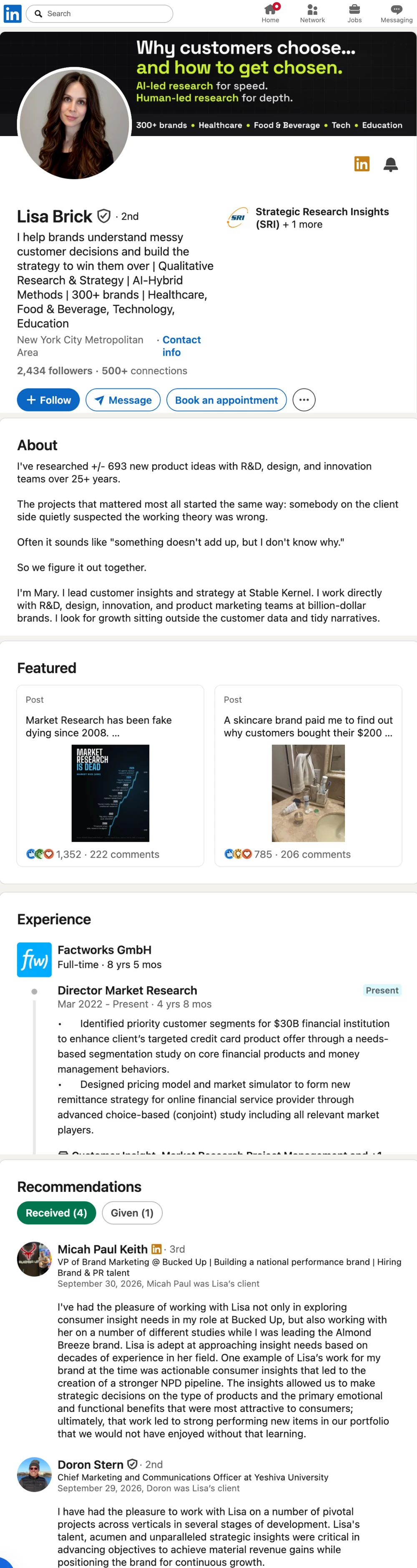
Click a rule: it is framed on the profile.
Your turn
What about you? Does your profile make prospects want to reply?
Open your LinkedIn profile in another tab, and check off each item once it's done.
Final testOpen your profile on your phone. Would a prospect who doesn't know you understand, within a few seconds, what you do for them? If not, rework your headline first.
Reread your profile once or twice a year, or whenever your offer changes.
What's next
Every post, every comment keeps you top of mind with your prospects.
Posting or commenting puts your name and your company in your network's feed. When you comment, the author gets a notification, and your comment shows up in the feed of everyone who follows them: you multiply your chances of getting noticed.
The more often your prospects come across your name, the more familiar it becomes. And we like what we've already seen. In a famous experiment, four women attended a college class 0, 5, 10 or 15 times without speaking to anyone: at the end of the semester, the more often a woman had shown up, the more the other students liked her.
Sources: Moreland and Beach, Journal of Experimental Social Psychology (1992); a principle established by Robert Zajonc (1968) and confirmed by a meta-analysis of more than 200 experiments (Bornstein, Psychological Bulletin, 1989). This guide's outline follows WriteHero's “LinkedIn Profile for Consultants” (2026).
mazeo brings you the prospects. Your profile wins them over.
With mazeo, you write to new prospects every week, by email and on LinkedIn. Before they reply, they'll open your profile: that's what turns a message into a meeting.